



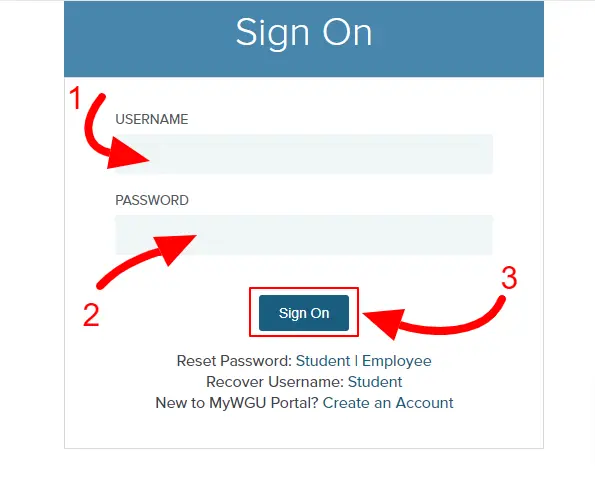
Western Governors University (WGU) is well-known for its flexible, competency-based education model designed for working adults. One key element that powers this unique experience is the WGU Portal — a personalized online platform that connects students with everything they need for academic success. Whether you’re a new student just beginning your journey or a current learner looking to maximize your experience, understanding how to use the WGU Portal is essential.
What is the WGU Portal?
The WGU Student Portal is the central online hub for all WGU students. It acts as a personalized dashboard where students can access their courses, communicate with mentors, manage their academic records, track progress, schedule exams, and more. It’s essentially a one-stop-shop for everything related to your studies at WGU.
Accessible via my.wgu.edu, the portal is user-friendly and designed to keep important information organized and easily available at your fingertips.
Key Features of the MyWGU Portal
1. Course Management
Once logged into the portal, students can view their degree plan, which outlines all the courses they need to complete. Each course includes a detailed course outline, study resources, assignments, and links to assessments. Students can start, continue, or finish courses directly through the portal.
2. Communication with Mentors
WGU places a strong emphasis on mentorship. Through the portal, students can easily schedule meetings or send messages to their program mentors and course instructors. Regular communication helps ensure students stay on track and receive the support they need.
3. Exam Scheduling
Need to book a proctored exam? The WGU Portal allows students to schedule and manage assessments with ease. It also provides guidelines and tech-check information to help students prepare for their online proctored exams.
4. Student Community and Resources
The portal gives access to the WGU Student Community, a forum where learners can connect with peers, share experiences, and seek advice. Additionally, it links students to important resources like the Writing Center, IT support, library services, and career services.
5. Progress Tracking
One of the most motivating features of the WGU Portal is the ability to track your progress in real-time. Students can see a visual representation of their completed credits, ongoing courses, and degree milestones.
Tips for Using the WGU Portal Efficiently
- Check in daily: Even if you don’t have classes that day, logging in keeps you updated on announcements, deadlines, and mentor communications.
- Utilize bookmarks: Bookmark key resources like the Library, the Student Handbook, and your Degree Plan for quick access.
- Set up notifications: Ensure you receive alerts for important updates about exams, grades, or meetings.
- Explore support services: Take time to explore tutoring services, writing assistance, and tech support through the portal — they are there to help!
Navigation Tip:
The Portal’s menu is intuitive:
- Home: Overview of your day’s tasks
- Degree Plan: Your academic map
- Courses: Direct access to study materials
- Community: Forums and networking
- Resources: Academic and tech support
- Messages: Communications and alerts
Pro Tips for Maximizing Your WGU Portal Experience
- Customize Your Home Page: Pin your active courses for quick access.
- Sync Your Calendar: Link your WGU appointments and deadlines to Google Calendar or Outlook.
- Set Weekly Milestones: Use the degree plan to set small, manageable goals for each week.
- Check the Bulletin Board: Stay updated with news, upcoming webinars, and motivational student stories.
- Use the Mobile App: Download the WGU Student Portal app for iOS or Android to stay connected on the go.
Frequently Asked Questions (FAQs)
1. Is the WGU Portal different from the WGU Mobile App?
Yes. The Portal is the full web version, while the WGU app offers a streamlined mobile experience for quick check-ins, updates, and messaging.
2. Can I access the WGU Portal outside the U.S.?
Yes, the WGU Portal is accessible globally as long as you have a secure internet connection. VPNs may sometimes be required for certain regions.
3. How often should I log in to the WGU Portal?
Daily logins are highly recommended to stay up-to-date with course updates, mentor messages, and deadlines.
4. Can I customize notifications from the Portal?
Yes. You can set your preferences under your account settings to receive email, SMS, or app notifications for different activities.
Final Thoughts
The WGU Portal is more than just a website — it’s a powerful tool designed to make your learning journey smoother, more organized, and more successful. Familiarizing yourself with its features can greatly enhance your Wgu enrollment portal experience and help you stay focused on achieving your academic and professional goals.
So, whether you’re starting your first term or nearing graduation, make the most of the WGU Portal — your personal gateway to success!